
Latest Version
Sejda BV
General
Linux
Free
com.sejda.Sejda
Report a Problem
More About Sejda PDF Desktop
A Complete Local PDF Editor for Linux Users
Managing document workflows can be a challenge on Linux systems, but Sejda PDF Desktop offers a robust, local solution for individuals and businesses alike. Developed by Sejda BV, this offline application delivers a comprehensive suite of tools designed to handle your daily document modifications without relying on cloud-based processing. By keeping your sensitive files on your local machine, it ensures a higher level of privacy and security for professional environments.
Who Benefits Most from Sejda PDF Desktop?
This software is tailored specifically for professionals, administrative staff, and power users who handle sensitive paperwork and require dependable, offline performance. If your daily routine involves merging reports, signing contracts, or protecting confidential files with encryption, this utility provides the necessary desktop-class tools. Its clean, touch-friendly interface is highly intuitive, making it equally accessible to casual users who only need to make quick adjustments to their files occasionally.
Key Functional Capabilities
The application stands out due to its broad, versatile feature set. Rather than forcing you to open multiple programs, it consolidates several essential document management functions into a single interface:
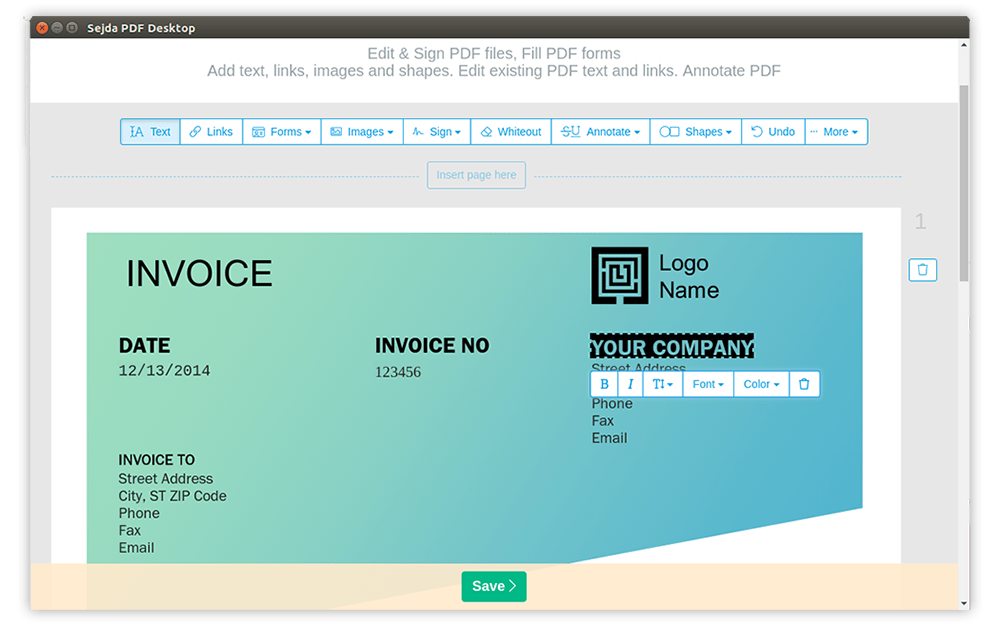
- Advanced Editing and Reorganization: Modify, add, or move text directly within the document. Users can change font styles, adjust alignment, insert new images, and reorder, rotate, or delete individual pages with ease.
- Seamless Document Merging and Splitting: Combine multiple source files into a single consolidated document, or split large files by page count, file size, or specific visual bookmarks.
- Format Conversion: Export your documents to popular formats like Word and Excel, or transform them into standard image files for presentation purposes.
- Optimization and Compression: Reduce the physical storage footprint of your files by optimizing embedded images and discarding redundant resources, making them easier to email.
- Security and Annotation: Apply secure encryption, restrict copying or editing, add digital signatures, apply watermarks, and black out sensitive data.
A Reliable Desktop Utility
Because the software operates directly on your Linux desktop, it bypasses the internet latency and security concerns associated with web-based alternatives. It functions under a model that allows free daily usage within specified limits, making it a highly flexible option for both budget-conscious users and enterprise environments requiring a reliable offline editor.
If you are ready to streamline your document management workflow, you can explore the official package and learn more about its installation options directly on the official Flathub store page.
Rate the App
User Reviews










Popular Apps









Editor's Choice